In this blog we are going to discuss how we can make and run an applet to draw Indian Flag.
Prerequisites : Java 8 or below version should be installed(which supports appletviewer).
If you don’t where you find this don’t worry just check out our blogs. (How to run java applet programs?)
If you have already above things so come on..
import java.applet.*;
import java.awt.*;
public class Flag extends Applet {
public void paint(Graphics g) {
g.setColor(Color.black);
g.drawOval(10,35,10,10);
g.drawLine(10,40,10,800);
g.drawLine(19,40,19,800);
g.drawLine(370,40,370,290);
g.setColor(Color.orange);
g.fillRect(20,40,350,80);
g.setColor(Color.blue);
int l=0;
int x=195,y=165;
double x1,y1;
double d;
g.drawOval(150,120,90,90);
for(int i=1;i<=24;i++){
d=(double)l*3.14/180.0;
x1=x+(double)42*Math.cos(d);
y1=y+(double)42*Math.sin(d);
g.drawLine(x,y,(int)x1,(int)y1);
l=l+(360/24);
}
g.setColor(Color.green);
g.fillRect(20,211,350,80);
}
}
//<applet code=”Flag.class” width=”300″ height=”300″> </applet>
Write the above line at the end o
After writing/pasting above code now you have to save the file as Flag.java

After saving the program now you have to open cmd prompt and go to the directory where you saved your program.
If you don’t know how change directory note these copy path of flie and write cd Path in cmd and hit enter now your path is changed.
Now you have to compile and run java program you can use
javac filename.java
Hit enter then
appletviewer filename.java
Again hit enter boom your program is running.

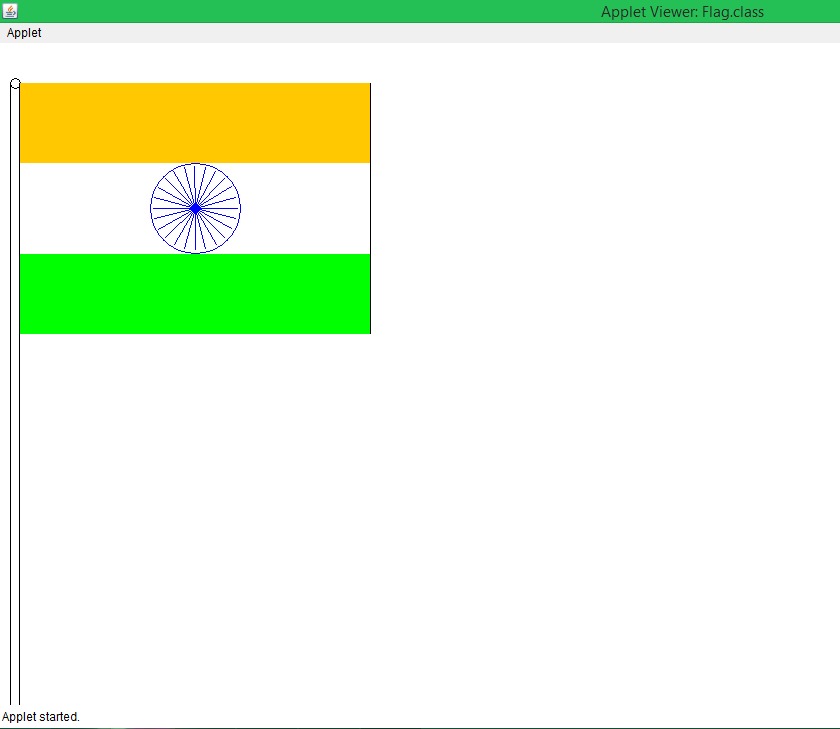
If you have any problems doing let me know. Enjoy it!😊 Happy Independence Day

 CodeBuddies_
5 Comments